
Product
Display your Android apps on a video wall
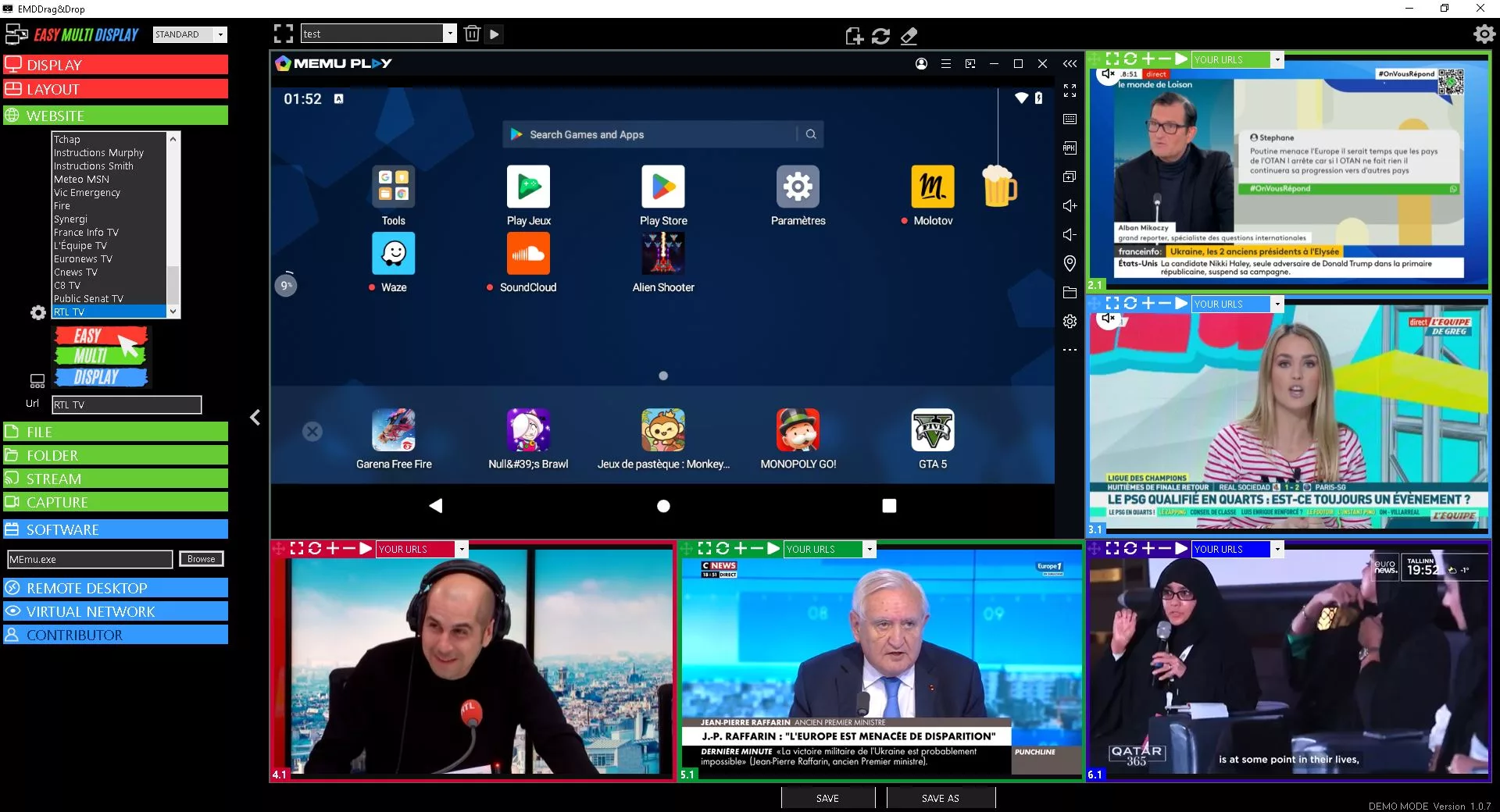
Want to display your Android apps directly on your video wall? With Easy Multi Display, nothing could be simpler. A mobile app that is useful to your command centre can take its place on screen, alongside your other video sources.
Install the MEmu Play emulator
The first step is to install the MEmu Play emulator, our favourite tool for running Android on a Windows PC. It is available as a free download on the publisher’s official website. Once installed, the emulator gives you access to all of your Android apps on your workstation.
Add the app to your video wall
In EMD, choose the “Software” option or use the “Drag & Drop” function, then select the emulator’s default executable located at C:\Program Files\Microvirt\MEmu\MEmu.exe. Your Android app then appears just like any other source on the video wall of your command centre.
This flexibility is part of EMD’s DNA: integrating all of your sources, mobile ones included, with no extra hardware. Need a hand getting set up? Feel free to contact us, or to discover our fire and rescue service solution.