
Product
In a CORG, the incident log on the wall, updated on every save

In a CORG (French gendarmerie operations centre), the most watched document is not a map. It is the incident log. And it changes every five minutes.
Until now, correcting it meant taking your eyes off the wall, opening the file on a workstation next to it, editing, saving, then displaying it again. Or worse: letting the room look at an outdated version.
Easy Multi Display on Linux does it differently.
They edit on their workstation, the wall follows
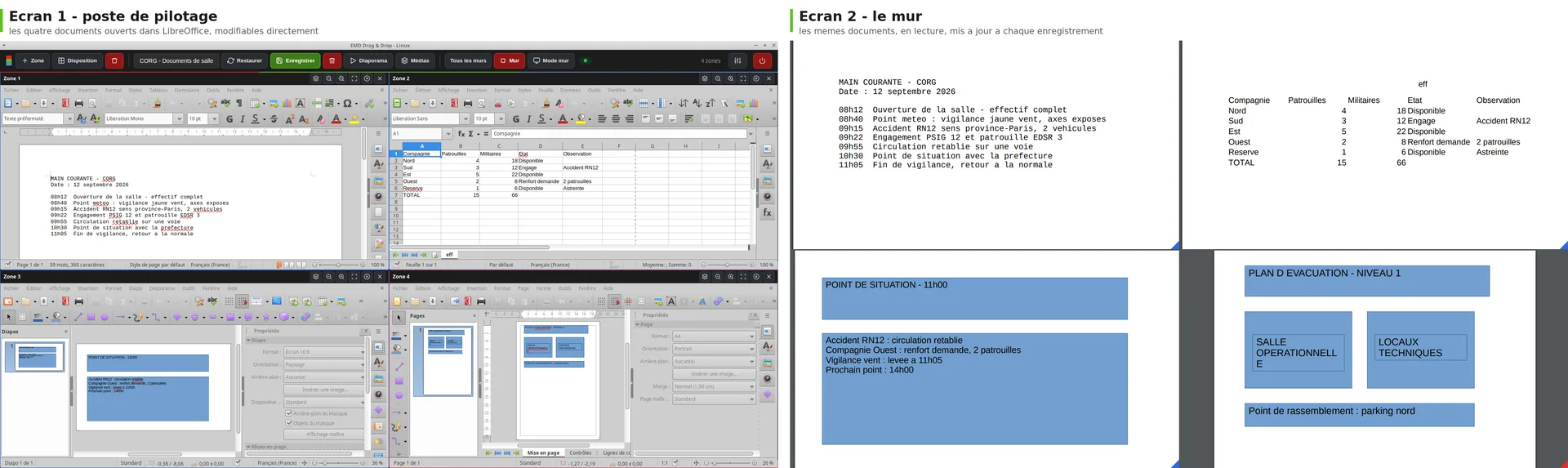
The duty officer opens the incident log in a zone of the wall, with LibreOffice and all its toolbars, on their control screen. They add their line. Ctrl + S.
The wall, for its part, has never seen a toolbar. It displays the same document, read-only, identical layout, and it updates itself within a few seconds. While you type, nothing moves on the wall: it is the save that triggers, never the keystroke. So the room never sees a line being written.
Read-only or editable, you choose
An instruction sheet, an operation order, a deployment plan are displayed read-only: nobody edits them by mistake. The incident log and the patrol status are kept up to date throughout the event.
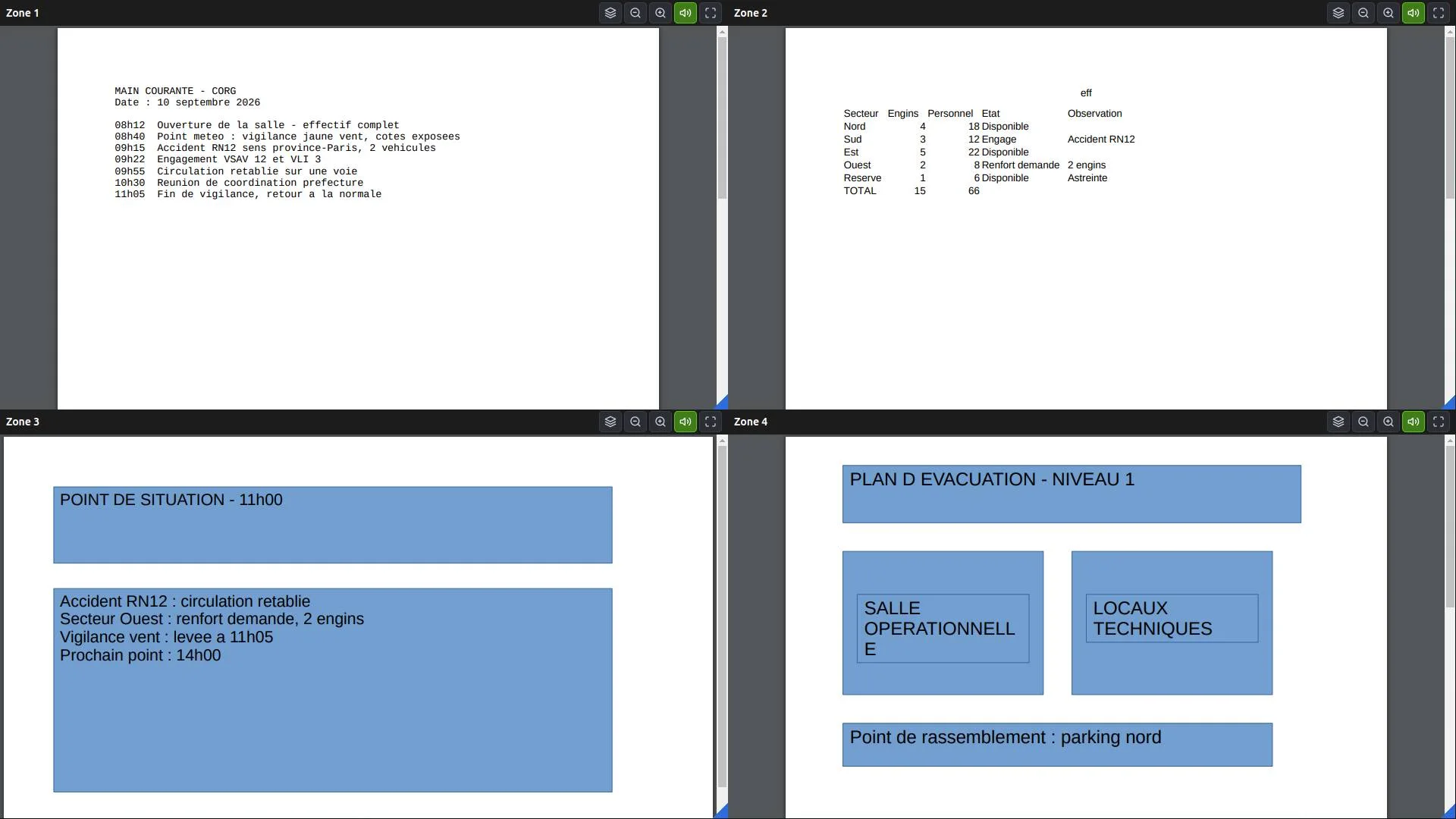
Four documents side by side, each in its own application: Writer for the incident log, Calc for the patrol status, Impress for the situation report, Draw for the site plan.
A Word, Excel or PowerPoint file is displayed too: the workstation converts it itself for the wall. No office suite to buy, no licence per screen.
Nothing to install on the walls
The walls receive the document already prepared. They have no office software, and our software runs without installation on your machines.
The scenario remembers the documents: the next time “Situation report” is recalled, the same files reopen in the same places. Nothing to redo at 3 a.m.
And because the question always comes at the end of a demonstration: yes, all of this goes out through the network proxy, with an account and exclusions if needed. A Test button tells you what really happens, before you confirm.
On Linux. No subscription, no cloud, without a single piece of data leaving the room. On hardware you already have.